Welcome to Gattey Photos
The macOS app for your family gallery — upload photos, manage frames, and keep Bloomin8 displays in sync.
Download for macOS (v1.0.16)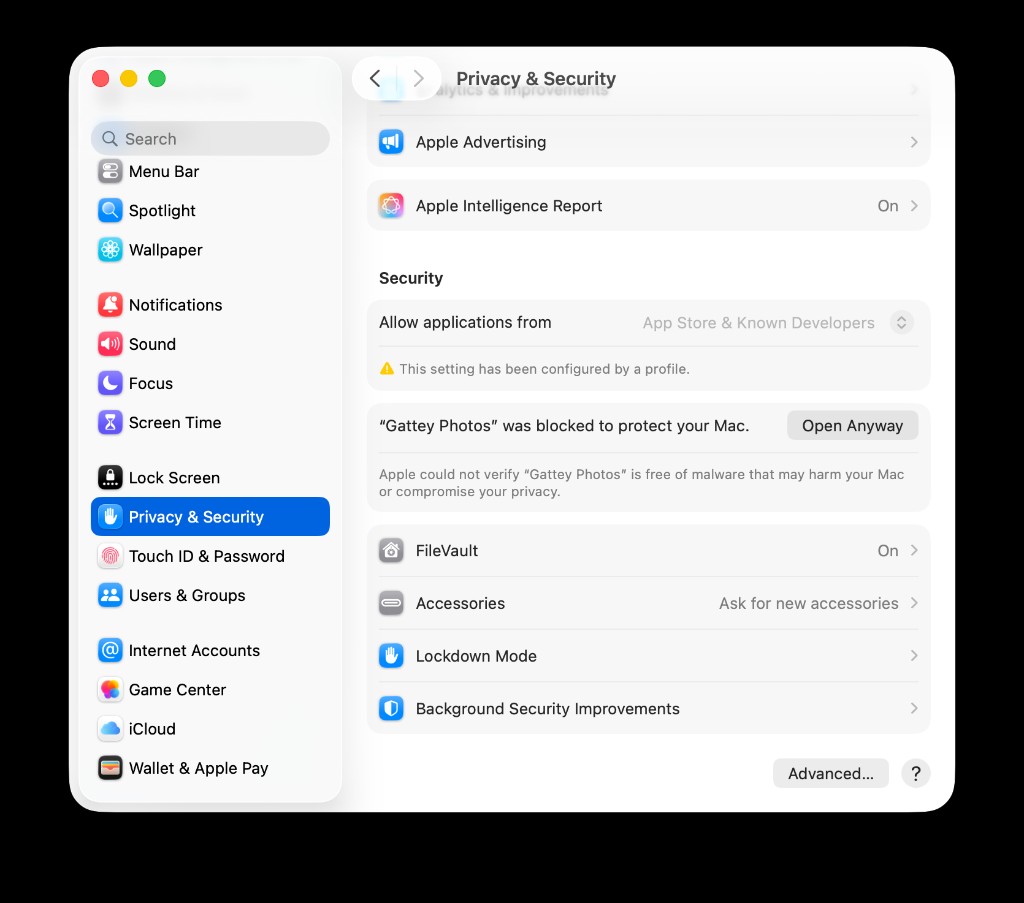
Open Anyway appears after you try to launch the app once.
First time on this Mac? macOS may block the app
After you download and try to open Gattey Photos once, approve it in System Settings.
- Try opening Gattey Photos from Applications so macOS records the block.
- Open System Settings → Privacy & Security.
- Under Security, click Open Anyway next to the Gattey Photos message.
- Open the app again.